
Does Amazon A+ Content Really Help SEO? The Truth About Indexing vs. Conversion Lift
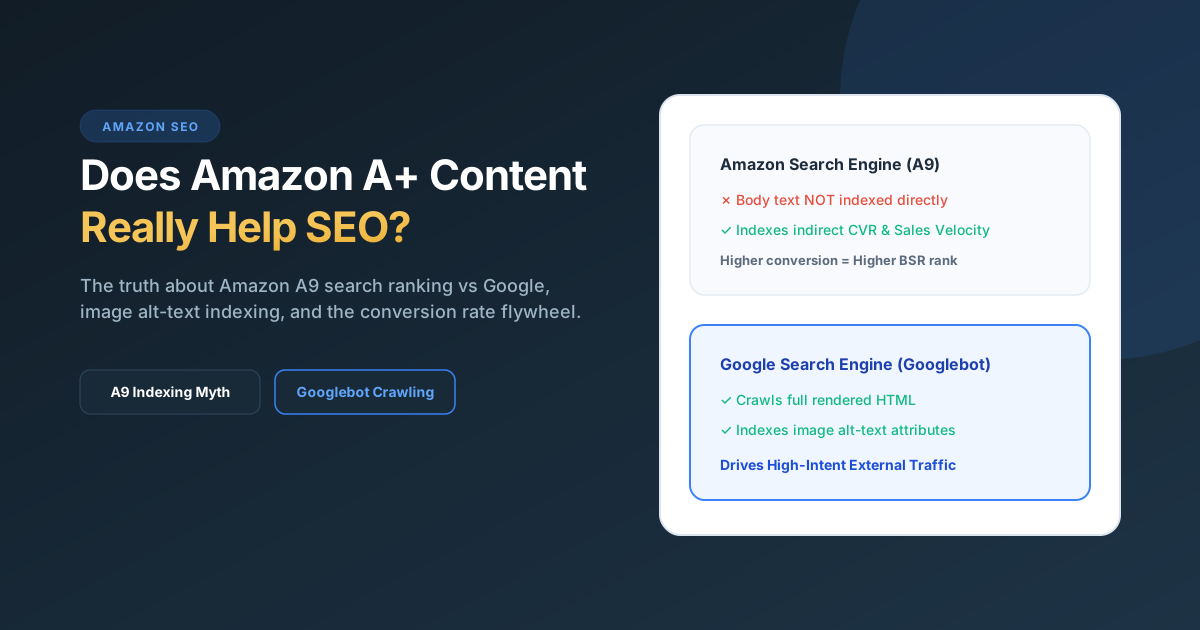
Quick Answer: Amazon A+ Content body text is not directly indexed by Amazon’s internal A9/COSMO search algorithms for keyword search ranking. Stuffing keywords into A+ paragraphs will not get you ranked for those terms on Amazon. However, A+ Content drives massive SEO gains indirectly: (1) Google Search indexes A+ text and image alt tags, driving external search traffic, and (2) A+ Content increases conversion rate by an average of 5% to 20% (per Amazon’s own data). Because Amazon’s organic ranking algorithm prioritizes sales velocity and conversion rate (CVR), A+ Content is one of the highest-leverage indirect SEO ranking factors on Amazon.
The myth vs reality: Does Amazon index A+ body text?
There is a persistent myth in Amazon seller communities that you can cram secondary keywords, long-tail variations, and foreign language terms into your A+ Content text modules to rank for them organically on Amazon.
Multiple independent testing rounds and official documentation from Amazon confirm that Amazon does not index A+ Content text for organic on-site search queries.
If a shopper searches for an exact phrase on Amazon (e.g., “ergonomic silicone garlic press with cleaner”) and that phrase appears only inside your A+ Content modules—and nowhere in your Product Title, Bullet Points, or Backend Search Terms—your ASIN will not appear in the organic search results.
| Listing Component | Indexed on Amazon Search? | Indexed on Google Search? |
|---|---|---|
| Product Title | Yes (Highest Weight) | Yes (Used as Title Tag) |
| Bullet Points (Key Features) | Yes (High Weight) | Yes (Snippet extraction) |
| Backend Search Terms (Generic Keywords) | Yes (High Weight) | No (Hidden from HTML) |
| A+ Content Body Text & Headers | No (Zero Direct Weight) | Yes (Fully Crawled & Indexed) |
| A+ Content Image Alt-Text | Marginal / Screen Readers | Yes (Google Images & Organic) |
Why Google indexes A+ Content when Amazon doesn’t
While Amazon’s closed database search engine skips A+ body text, Googlebot crawls the rendered HTML document of every public Amazon product detail page.
Google evaluates the full page text, including your A+ headers, product comparison tables, and FAQ modules. When shoppers search Google for complex commercial queries like “best non-stick ceramic skillet dishwasher safe comparison”, Google frequently ranks Amazon product pages whose A+ comparison tables contain exact answers.
Furthermore, external organic traffic from Google that lands on your Amazon listing produces high-intent, converting sales that Amazon rewards with organic rank boosts under the Brand Referral Bonus program.
The true power of image alt-text in A+ modules
When you upload module graphics into Seller Central A+ Content Manager, Amazon requires you to input image keywords (alt-text) up to 100 characters per image.
These image descriptions serve two critical functions:
- Accessibility Compliance: Screen readers use this text to describe graphics to visually impaired shoppers. Listings compliant with accessibility guidelines maintain better health scores.
- Google Images & Semantic Crawlers: Google Images heavily indexes alt-text attributes from Amazon CDNs. When shoppers search Google Images for product comparisons or lifestyle infographics, your A+ visuals appear directly in Google Image carousels, linking straight back to your ASIN.
The indirect ranking flywheel: How CVR drives BSR
If A+ Content isn’t indexed directly on Amazon, why do top-tier brands and aggregators invest thousands in custom A+ Content design? Because Amazon’s search algorithm is a conversion-driven engine.
Amazon does not rank listings merely based on keyword density. Amazon ranks listings that generate the highest Revenue Per Click (RPC) and Conversion Rate (CVR) for any given search term.
Here is how the indirect SEO flywheel works:
- Step 1: You optimize your core Product Title, Bullets, and Backend Search Terms to index for high-volume keywords.
- Step 2: Shoppers click your listing from organic search or Sponsored Products ads.
- Step 3: Rather than encountering a wall of plain text, shoppers scroll into immersive, visual A+ Content featuring side-by-side comparison tables, exploded material diagrams, and Brand Story carousels.
- Step 4: Customer hesitation drops and your listing conversion rate jumps by 5% to 20%.
- Step 5: Amazon’s A9 algorithm detects the spike in conversion rate and sales velocity, elevating your organic ranking for all primary search terms to Page 1.
Standard vs Premium A+ for ranking impact
Eligible Brand-Registered sellers can choose between Basic (Standard) A+ Content and Premium A+ (formerly A++). While both have identical direct indexing properties, their impact on conversion rate—and thus indirect SEO rank—is substantially different.
According to Amazon’s internal studies:
- Standard A+ Content: Lifts sales and conversion rate by up to 5.6% on average.
- Premium A+ Content: With full-width video modules, interactive shoppable carousels, hover hotspots, and larger comparison charts, Premium A+ lifts conversions by up to 20.1%.
Read our full comparison guide: A+ Content vs Premium A+ (2026 Breakdown).
5 Best practices to maximize SEO and conversions
- Do not sacrifice readability for keyword stuffing: Since Amazon search doesn’t index A+ text, write for human shoppers. Answer the top 3 objections found in your 1-star and 2-star competitor reviews.
- Cross-sell with Comparison Charts: Include a comparison table module linking to your other ASINs. When shoppers consider leaving your page, a comparison table keeps them within your product ecosystem.
- Optimize mobile module order: Over 65% of Amazon purchases happen on mobile devices. Ensure text in image graphics is large enough to read on small screens without pinching.
- Always fill Image Alt-Text with descriptive phrases: Write natural 60-to-80 character descriptions like “Stainless steel garlic press showing silicone peeler tube and cleaning brush” rather than comma-separated keyword lists.
- Combine with Brand Story: Add the horizontal Brand Story carousel above your A+ Content to anchor your brand identity and link shoppers directly to your Amazon Brand Store.
Is your A+ Content driving maximum conversion lift?
Send us your ASIN. Founder ABS Jony will record a free 5-minute video walkthrough reviewing your modules, mobile layout, and cross-sell comparison strategy.
Frequently Asked Questions
Does Amazon index A+ content for search terms?
No. Amazon’s internal search algorithm does not index text or headlines written inside A+ Content modules. Keywords must be included in your Product Title, Key Feature Bullets, or Backend Search Terms to index organically on Amazon.
Does Google index Amazon A+ content?
Yes. Google indexes the full HTML rendered text of Amazon product pages, including A+ Content text, headers, and image alt attributes. This allows Amazon listings to rank on Google search for long-tail informational queries.
Does adding keywords to A+ image alt text help ranking?
Alt text provides limited direct indexing on Amazon itself, but it is heavily indexed by Google Images and assists screen reader accessibility. Use descriptive phrases that accurately describe the visual rather than spamming keywords.
How much does A+ Content actually increase sales?
According to Amazon published data, Standard A+ Content increases conversion rate by 5.6% on average, while Premium A+ Content can increase sales by up to 20.1% by reducing customer bounce rate and answering purchase objections visually.
Related guides: Learn the technical differences in our A+ Content vs Premium A+ Guide, see real layouts in Amazon Brand Store Examples, or view our Transparent Pricing.